Real-time AI sales coaching is an assistive system that listens to a live call and surfaces objection responses, discovery prompts, and post-call scorecards while your rep is still speaking. It is not an autonomous dialer, not a transcription archive. The single best next move: run a 60–90 day pilot with one mid-performing rep and CRM integration before you roll it out to the full team.
Three things to do in the next 48–72 hours:
- Pick one mid-performer as your pilot rep.
- Write a one-page sales methodology and scorecard (stages, key CRM fields, qualifying framework).
- Schedule a pilot start date and lock in your baseline metrics before day one.
Key Takeaways
Real-time AI sales coaching produces measurable revenue results when it is deployed with a written methodology, a clean pilot design, and outcome metrics tied directly to closed-won revenue.
| Point | Details |
|---|---|
| Define before you deploy | Write your methodology and scorecard before configuring a single coaching card. |
| Pilot with a mid-performer | Mid-performers show the clearest signal; top performers resist change, bottom performers add noise. |
| Measure revenue, not activity | Track quota attainment, ramp time, and close rate lift — not nudges surfaced per call. |
| 60–90 day pilot window | Multi-platform data reports 25–40% call conversion improvements within 30–60 days for mature implementations. |
| Getcoachmode for live pilots | Getcoachmode provides live in-call prompts, post-call scorecards, and CRM integration ready for a structured pilot. |
Table of Contents
- What does real-time AI sales coaching actually do?
- What outcomes should your team realistically expect?
- How do you roll out real-time AI coaching in six steps?
- How do you design a 60–90 day pilot that proves value?
- What does your technical stack need to support this?
- How do you build an objection library from your own call recordings?
- How do you drive adoption without triggering resistance?
- Pilot checklist and 90-day timeline
- Why the pilot-first approach consistently outperforms big-bang rollouts
- Getcoachmode is ready to deploy for your next pilot
- Sources
What does real-time AI sales coaching actually do?
Most tools marketed as “AI for sales calls” fall into one of three buckets: autonomous outbound voice agents, passive transcription platforms, and live assistive coaching. This guide covers only the third.
Real-time AI sales coaching listens to a live conversation and delivers coaching cards, objection battlecards, and qualifying prompts the moment a relevant topic appears. The rep reads the card, responds, and keeps moving. The AI does not speak. It does not replace the rep. It acts as a silent expert sitting next to them.
Core capabilities include in-call objection prompts, talk/listen ratio nudges, live discovery cues, automatic post-call scorecards, and CRM field population. What it does not do: make outbound calls autonomously, replace human judgment, or function as a standalone analytics dashboard. The listen-to-analyze-to-guide pipeline can achieve sub-second end-to-end latency, which means coaching cards appear before the rep has finished processing the objection themselves.
What outcomes should your team realistically expect?
Close-rate lift, faster ramp, and higher quota attainment are the outcomes that matter. Nudges surfaced per call is not.
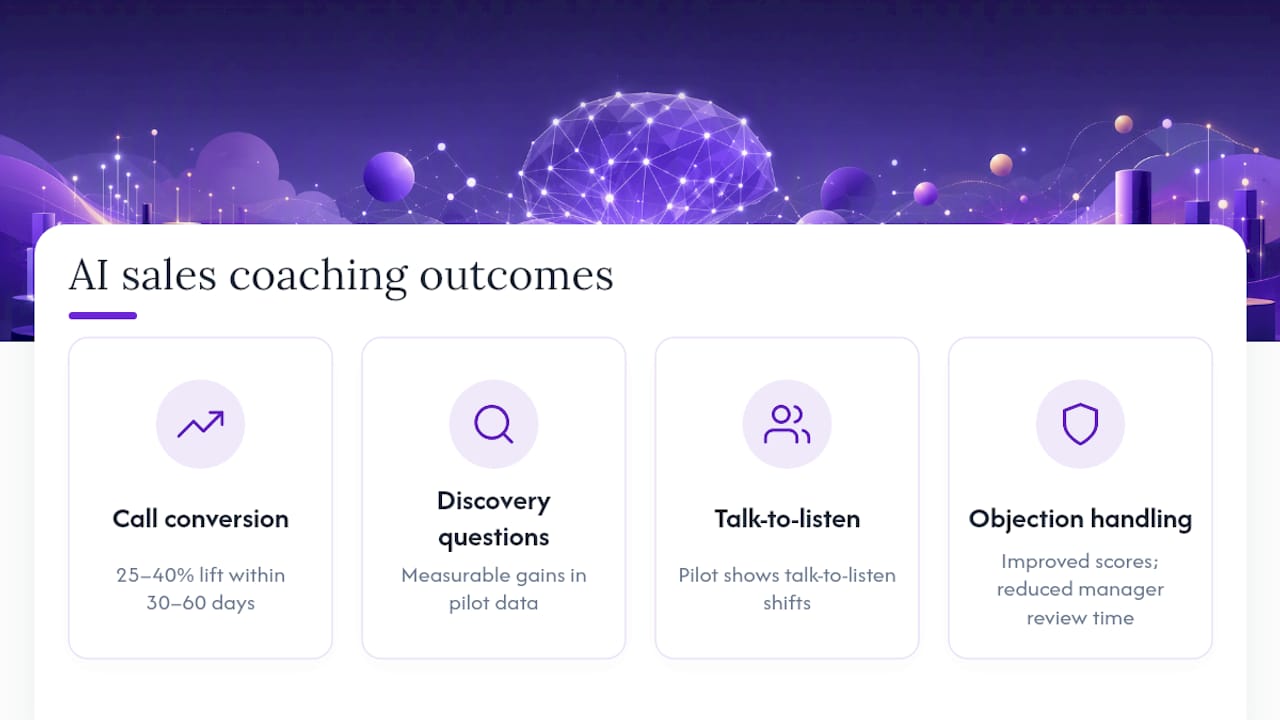
Multi-platform case summaries report 25–40% improvements in call conversion within 30–60 days of adoption for mature implementations. Before-and-after pilot data also shows measurable gains in discovery questions per call, talk-to-listen ratio shifts, and objection handling scores, alongside reduced manager review time.
A concrete example: a rep hits a pricing objection in the final 10 minutes of a high-ticket call. Without a prompt, they either fumble or escalate. With a live coaching card, they deliver a framed ROI response on the spot. The deal stays alive. That single moment, multiplied across 20 calls a week, is where the revenue impact accumulates.
Prioritize these outcomes, in this order: quota attainment, ramp time to first closed-won, CRM field completeness, and objections handled in-call versus escalated. Activity counts like “nudges surfaced” tell you the tool is running. They do not tell you it is working.
How do you roll out real-time AI coaching in six steps?
The six-step rollout below is designed to minimize disruption and give you a clean measurement window.
- Document your sales methodology and scorecard. Map your stages, CRM fields, and qualifying framework (BANT, MEDDPICC, or your own variant). Without a written standard, the AI coaches toward each rep’s personal definition of “good.”
- Build an objection library from real call recordings. Tag each clip by objection type, deal stage, and buyer persona. Real buyer language beats scripted examples every time.
- Define what belongs in-call versus in a 1:1. Apply the absorb-at-a-glance rule: if a rep cannot read and act on a coaching card in under three seconds, it belongs in a debrief, not on a live screen.
- Pilot with a mid-performer. Top performers have entrenched habits; bottom performers introduce too many variables. Mid-performers show the clearest signal.
- Integrate with your CRM and follow-up workflows. Coaching that does not write back to Salesforce or HubSpot creates a data gap. Automated CRM updates after each call keep opportunity records current without rep effort.
- Measure outcome metrics and iterate. Review at day 30, day 60, and day 90. Adjust coaching cards based on what the data shows, not what feels right.
Pro Tip: Before you configure a single coaching card, run three call recordings through your methodology doc manually. Every gap you find is a gap the AI will also miss.
How do you design a 60–90 day pilot that proves value?
Capture these baseline metrics before the pilot starts:
- Quota attainment (trailing 90 days for the pilot rep)
- CRM field completeness rate (percentage of required fields populated post-call)
- Ramp time to first closed-won (for any new rep in the cohort)
- Stage conversion rate (lead to discovery, discovery to proposal, proposal to closed-won)
For the measurement window to be clean, sample at least 15–20 coached calls per rep before drawing conclusions. Pair coached calls against uncoached calls from the same rep in the prior period to reduce noise from deal-mix variance. A scale decision at day 90 should require at minimum a measurable lift in one revenue-linked metric, not just higher coaching card engagement.
What does your technical stack need to support this?
Minimum requirements for a smooth deployment:
- Low-latency transcription: real-time speech-to-text with sub-second processing so coaching cards appear during the objection, not after it.
- Trigger detection: keyword and phrase recognition that fires the right card at the right moment without flooding the rep’s screen.
- CRM integration: bidirectional sync with Salesforce or HubSpot so call outcomes, field updates, and coaching scores write back automatically.
- Meeting platform compatibility: Zoom, Google Meet, and Microsoft Teams are the standard three. Confirm your tool supports all three before signing.
Workflow rules matter as much as the tech. Decide in advance who configures playbooks (sales ops, not individual reps), what phrase patterns trigger a card, and how automated CRM updates are gated so reps cannot override them silently.
Pro Tip: Enable meeting consent notifications and PII redaction from day one. Retroactively applying privacy rules to a call archive is far more painful than building them into the initial configuration. Set retention rules before the first recorded call.
How do you build an objection library from your own call recordings?
Generic objection scripts age fast. Libraries built from your actual calls, with your actual buyers, stay relevant.
- Pull 20–30 recordings from the past 90 days. Focus on calls where a deal stalled or closed.
- Clip the 30–90 second window around each objection and the rep’s response.
- Tag each clip: objection type (price, timing, authority, competition), deal stage, buyer persona, and rep skill level (strong response vs. weak response).
- Write two versions of each response: a scripted phrase for new reps and a natural-language example for experienced ones.
- Review and update weekly. New clips replace outdated ones; QA the tags monthly.
The tagging taxonomy is what makes the library searchable at scale. Without it, you have a folder of clips. With it, you have a live objection handling system that surfaces the right response for the right persona at the right stage.
Pro Tip: Analyzing large volumes of conversational data can surface “magic moments” — specific phrases that correlate with higher close probability. Treat your call library as a lab, not an archive.
How do you drive adoption without triggering resistance?
The fastest way to kill an AI coaching rollout is to frame it as surveillance.
- Start in shadow mode. Let the tool run quietly for the first two weeks without requiring reps to act on cards. They get comfortable seeing prompts before they are expected to use them.
- Focus manager enablement first. Managers who do not understand how to read AI summaries in 1:1s will default to ignoring them. Train managers before reps.
- Celebrate mid-performer wins publicly. When a mid-performer closes a deal they would have stalled on, name the moment. It shifts the narrative from “the AI is watching me” to “the AI helped me.”
- Avoid over-coaching top performers. Experienced reps with high attainment often find constant prompts intrusive. Give them the option to reduce card frequency or run in review-only mode.
The onboarding approach that works consistently: start narrow, show a win fast, then expand. Trying to configure every objection type before the pilot starts is the most common reason rollouts stall in week three.
Pilot checklist and 90-day timeline
Pre-launch checklist:
- Methodology doc written and reviewed
- Baseline metrics captured (quota attainment, CRM completeness, stage conversion)
- CRM and meeting platform integrations tested
- Pilot rep selected and briefed
- Coaching cards configured for top five objection types
- Privacy and consent settings confirmed
For building the business case at day 90, mapping AI improvements to revenue impact requires connecting your pilot KPIs directly to closed-won revenue, not just activity counts.
Why the pilot-first approach consistently outperforms big-bang rollouts
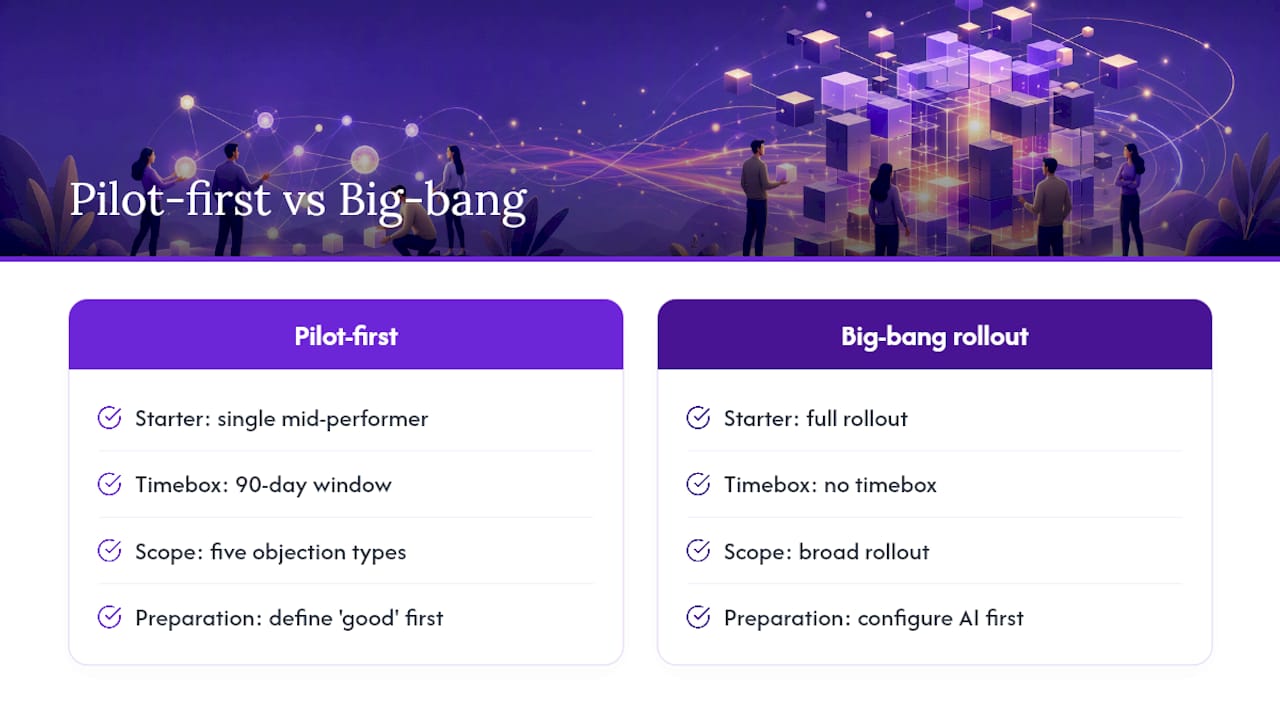
The managers who get the most from AI-driven sales calls share one habit: they start smaller than feels comfortable. A single mid-performer, a 90-day window, five objection types. That constraint forces clarity on what the tool is actually supposed to do.
What most managers miss is the methodology gap. They configure the AI before they have written down what “good” looks like. The AI then coaches toward an undefined standard, and the pilot produces noise instead of signal. Writing the methodology doc first is not bureaucracy. It is the thing that makes every subsequent step work.
Getcoachmode is ready to deploy for your next pilot
If the rollout above describes what you need, Getcoachmode maps directly to it. Live in-call prompts surface objection responses and discovery cues the moment a relevant topic appears. Post-call scorecards grade each conversation automatically and feed your manager 1:1s. CRM writes back to Salesforce and HubSpot without rep input. It runs on Zoom, Google Meet, and Teams, so there is no platform migration.
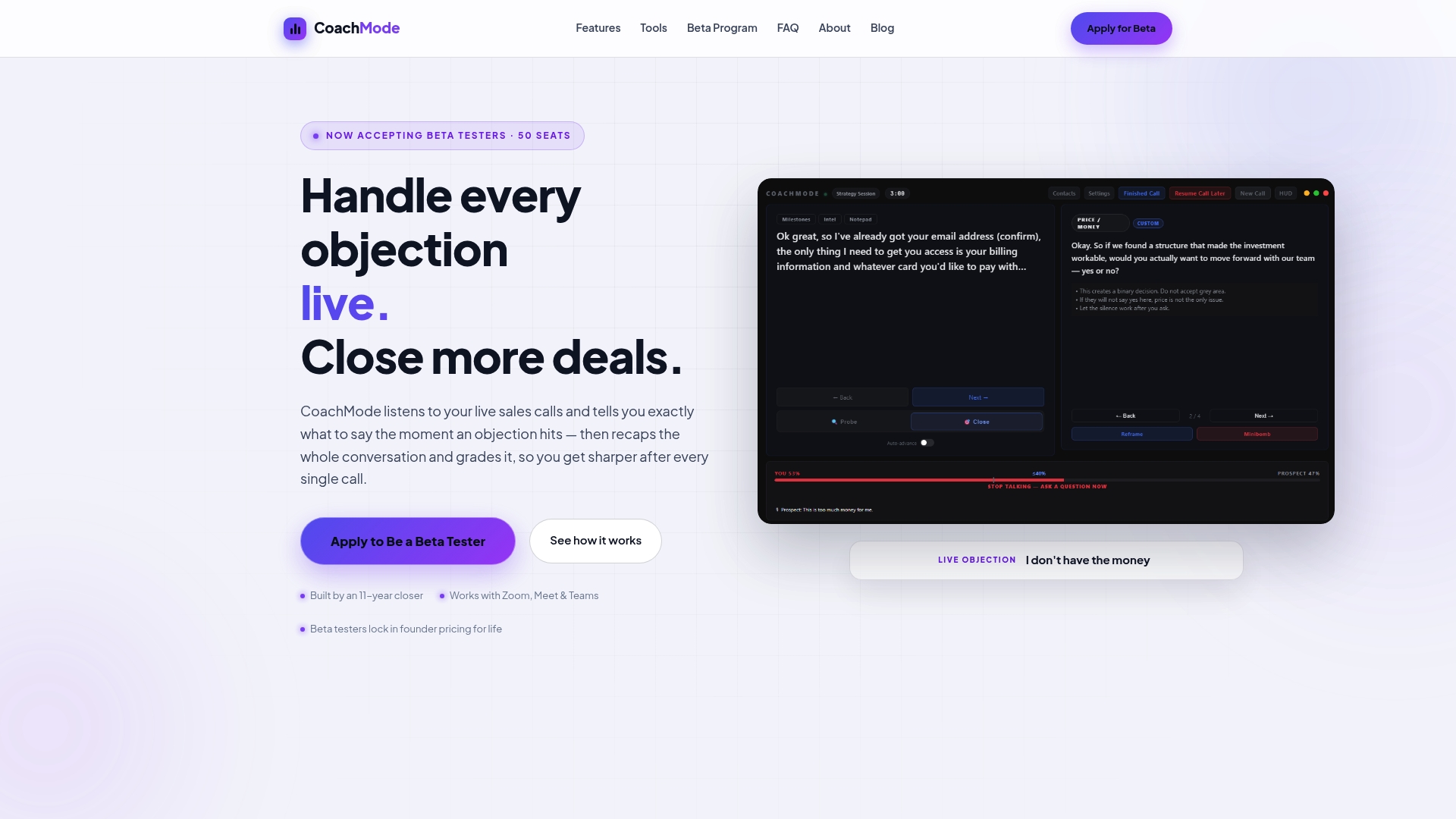
White-glove onboarding means your objection library and playbook are configured before your pilot rep takes their first coached call. For high-ticket closers and B2B teams running complex deals, that setup quality is the difference between a pilot that produces signal and one that produces noise. Start your live call coaching pilot and have your first coached call running within the week.
Sources
- Otter
- Real-Time Sales Coaching with Voice AI: How Teams Will Train Smarter in 2026 – Sales Closer AI
- AI Sales Coaching in 2026: How Conversation Intelligence Lifts B2B Win Rates by 22% and Turns Every Call Into a Coaching Moment
- Real-Time AI Sales Coaching: How AI Guides Your Reps During Live Calls in 2026 | Auto Interview AI
- AI Sales Coaching: Enhance Performance with Our Case Study