Remote sales coaching, in its current form, means real-time AI that listens to your live sales calls and speaks up when it matters: pulling up objection responses, flagging methodology gaps, and scoring the call the second you hang up. For distributed teams running high-ticket deals, this is the right tool because it works during the call, not three days after in a debrief nobody remembers. A 60 to 90 day pilot, run against a structured framework like MEDDIC, is enough to see whether it moves your numbers.
Key Takeaways
Real-time AI in-call coaching works because it delivers objection responses and methodology prompts while the deal is still live, then scores the call automatically for coaching that compounds over time.
| Point | Details |
|---|---|
| Definition matters | Remote sales coaching here means real-time AI that listens live, prompts reps, and scores calls after. |
| Latency is the differentiator | Mature systems surface coaching cards in under a second, keeping prompts usable mid-call. |
| Pilot in 60 to 90 days | Test with one mid-performing rep before rolling out to the full team. |
| CRM writeback prevents adoption drop | Manual data entry after calls is the fastest way to lose rep buy-in. |
| CoachMode fits the pilot model | CoachMode offers live objection responses, scorecards, and CRM writebacks across Zoom, Google Meet, and Teams. |
Table of Contents
- What Is Remote Sales Coaching and How Does It Work?
- What Are the Benefits for Reps and Managers?
- Which Sales Teams Should Deploy In-Call AI Coaching?
- How Do You Evaluate Vendors and Structure a Pilot?
- What Does a Friction-Free Implementation Look Like?
- How Do You Measure ROI After Deployment?
- What Are the Limitations of AI Sales Coaching?
- How Does CoachMode Deliver Real-Time In-Call Coaching?
- When Should You Actually Run a Pilot?
- Start a Focused Pilot With CoachMode
- Frequently Asked Questions
- Sources
What Is Remote Sales Coaching and How Does It Work?
The core system runs on three layers: listen, analyze, guide. Mature platforms complete that loop in under a second, so a coaching card appears while the prospect is still talking, not after the moment has passed. That sub-second latency is what separates a genuinely live tool from a glorified call recorder.
Under the hood, the system does a handful of things at once:
- Real-time transcription of both sides of the conversation
- Trigger detection for objections, competitor mentions, and pricing pushback
- Coaching cards with suggested language the rep can use immediately
- Methodology prompts tied to frameworks like MEDDIC, BANT, or SPIN
- Automatic call scoring the moment the call ends
None of this works in isolation. The platform has to connect to your calendar, your conferencing tool (Zoom, Google Meet, or Microsoft Teams), your CRM, and your internal playbook library. Salesforce’s rundown of AI sales coaching describes this as a system that listens for tone and objection patterns and ties the feedback back to CRM records automatically.
Pilot Timing: Vendors that follow a phased rollout, documenting methodology first, then building an objection library, then piloting with one rep, typically surface measurable signal within 60 to 90 days.
What gets written back to the CRM is usually a summary, extracted objections, and next steps. What stays in the coach dashboard is the granular stuff: talk ratio, filler words, hesitation points, individual scorecard line items.
What Are the Benefits for Reps and Managers?
The headline outcomes are higher win rates, faster ramp for new hires, cleaner CRM data, and managers spending less time auditing calls and more time coaching the ones that actually need it.
For reps, the day-to-day benefits show up mid-call, not in a quarterly review:
- Objection responses appear live, so reps stop freezing on pricing pushback
- Anxiety drops because the rep isn’t improvising alone
- Ramp time shortens since new reps get scripted guidance from call one, not after their fifth loss
For managers, the math changes entirely:
- Every call gets scored, not just the ones a manager has time to shadow
- Scoring is consistent across reps instead of subjective
- Coaching insights scale across a team of 30 the same way they’d work for a team of three
Mindtickles research on AI coaching found that reps who practice with adaptive AI role plays show measurable score improvements over time, which reinforces why in-call prompting and post-call review need to work together rather than as separate tools.
Which Sales Teams Should Deploy In-Call AI Coaching?
This fits best for distributed or hybrid teams running high-ticket demos, long B2B sales cycles, and discovery calls where methodology consistency actually affects close rate. If your reps are winging every objection differently, that’s the signal.
Prioritized use cases, in order of typical payoff:
- Onboarding new closers who need scripted support before they’ve built instinct
- Giving sales managers coverage on calls they’ll never have time to shadow live
- Standardizing remote demos across reps in different time zones
- Tightening objection handling specifically in late-stage, high-stakes calls
Pro Tip: Don’t pilot across your whole team at once. Pick one mid-performing rep who struggles with a single, common objection, price, timing, or competitor comparison, and measure whether the tool closes that specific gap before scaling further.
How Do You Evaluate Vendors and Structure a Pilot?
Prioritize systems that integrate with your conferencing and CRM stack, produce configurable scorecards, deliver in-call prompts with sub-second latency, and write session data back to the CRM automatically. Manual CRM entry after every call is the fastest way to kill adoption.
Run the evaluation in this order:
- Confirm native integration with Zoom, Google Meet, and Microsoft Teams
- Check whether scorecards can be customized to your existing methodology
- Ask for the latency SLA on live coaching cards, not just transcription speed
- Verify whether call summaries and objections write back to CRM without manual steps
- Review admin controls for playbook and objection library customization
- Confirm the pricing model matches your rollout size (per-seat vs. tiered)
Before signing anything, ask vendors directly:
- How is call data retained and encrypted?
- Can transcripts and recordings be exported?
- Can we hear sample recordings from a live pilot, not a demo script?
- Does onboarding include white-glove setup for our specific playbook?
For the pilot itself, Otter.ai’s implementation guide recommends a 60 to 90 day window with a single mid-performing rep, tracking quota attainment, CRM completeness, ramp time, and close rate before deciding to scale.
What Does a Friction-Free Implementation Look Like?
Plan for six things before rollout: conferencing integration, CRM field mapping, playbook import, an objection library, user provisioning, and privacy configuration. Skip any one of these and adoption stalls.
The rollout sequence that works:
- Connect your calendar so the tool joins calls automatically
- Map CRM fields so call data lands where your team already looks
- Import your existing playbook and sales methodology
- Build an objection library from real recorded calls, not hypothetical ones
- Pilot with one rep before opening access to the full team
- Scale once pilot metrics hit target
On the privacy side, look for configurable recording consent language, encryption in transit and at rest, and clear data retention windows. Keep this simple rather than treating it as a legal document you write yourself.
Pro Tip: Insist that coaching outputs, summaries, objections, next steps, write directly into the opportunity record. If reps have to manually re-enter what the AI already captured, adoption drops fast, and Otter.ai’s implementation research backs this up. A knowledge assistant like the one Cloud 9 describes can help surface playbook content automatically, which reduces the manual lift even further.

How Do You Measure ROI After Deployment?
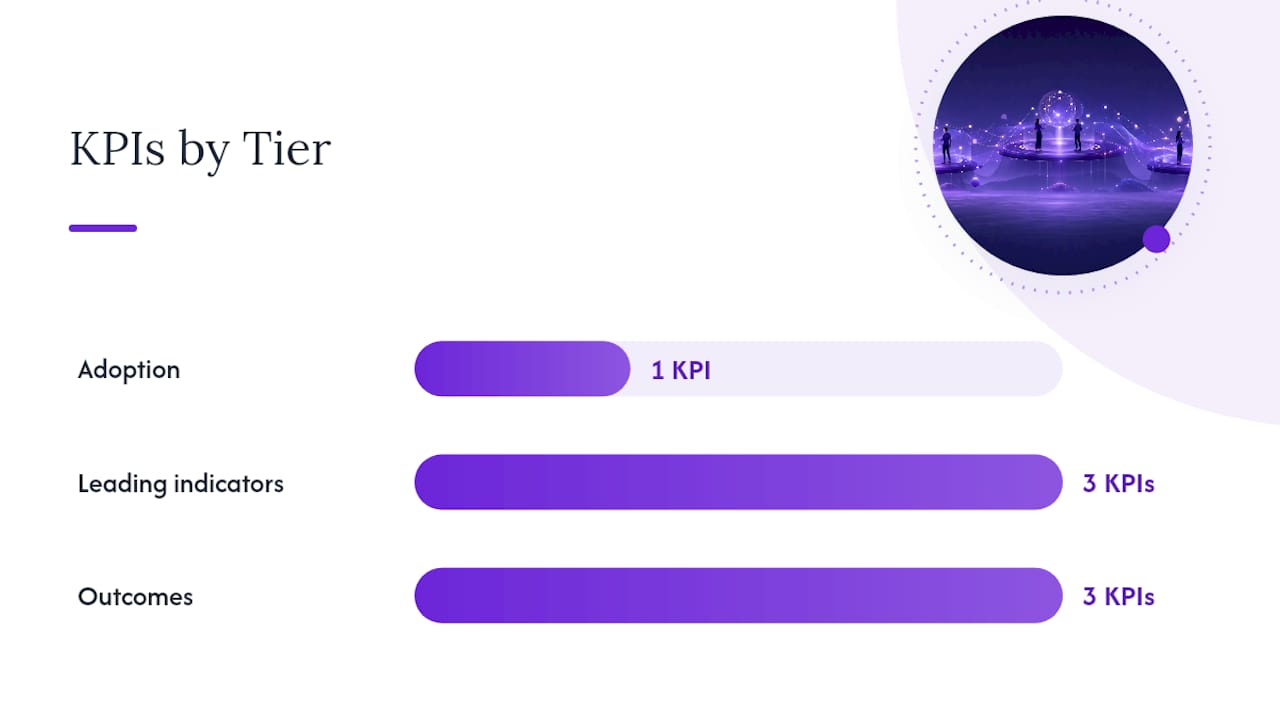
Track three tiers: adoption, leading indicators, and outcomes. Adoption tells you whether reps are actually using it. Leading indicators (talk to listen ratio, objections defused live, CRM completeness) tell you whether behavior is changing. Outcomes (close rate, deal velocity, average deal size) tell you whether it’s paying off.
Prioritized KPIs worth tracking from day one:
- Adoption rate: percentage of calls where coaching was active
- Talk to listen ratio: how much airtime reps give prospects
- Objections defused live: count of in-call prompts that led to a save
- CRM completeness: percentage of calls with full data logged automatically
- Close rate and deal velocity: the outcome metrics leadership actually cares about
A simple ROI framework: (incremental close rate lift × average deal size × deal volume) minus subscription cost. Avoma’s data on call scoring shows that tying call behaviors directly to win rate and quota attainment is standard practice in mature platforms, and most teams see a usable signal within the same 60 to 90 day pilot window used for vendor evaluation.
What Are the Limitations of AI Sales Coaching?
AI coaching offloads routine call auditing and delivers in-call prompts, but it doesn’t replace human strategy, deal-specific judgment, or relationship coaching. Treat it as augmentation, not a manager replacement.
Common limitations to plan around:
- False triggers on ambiguous language or industry jargon
- Context gaps on multi-threaded or long, multi-stakeholder deals
- Playbook discipline required, an outdated objection library produces bad prompts
- Adoption friction if CRM writes aren’t automatic
Mitigate this with phased pilots, tight governance over playbook updates, human review of scoring trends, and a clear change management plan before full rollout. Salesforce’s research notes that the real value is freeing managers from routine auditing so they can focus on complex deals and targeted skill-building instead.
Pro Tip: Use the AI scorecards to prep for 1:1s, not to replace them. Walk in already knowing the rep’s weak spot, and spend the session on strategy instead of transcript review.
How Does CoachMode Deliver Real-Time In-Call Coaching?
CoachMode delivers real-time in-call coaching, instant objection responses, and post-call scoring built specifically for high-ticket sales conversations. It’s designed around the exact pipeline described above: listen, analyze, guide, without the manual CRM work that kills adoption.
Core features include:
- Instant objection responses surfaced during the live call
- Talk-ratio feedback so reps know when they’re over-talking
- Customizable scorecards tied to your own methodology
- Automatic CRM writebacks for summaries and next steps
- Desktop support for Zoom, Google Meet, and Microsoft Teams
CoachMode offers real-time AI sales coaching that assists sales representatives during live calls, listening to the conversation and delivering the appropriate words right when needed. This in-call approach is built to keep reps calm and effective under pressure. CoachMode’s post-call scoring system is designed to help reps increase close rates over time.
If you’re weighing a pilot, the same 60 to 90 day framework used for vendor evaluation applies directly here.
When Should You Actually Run a Pilot?
Run a pilot the moment you have a repeatable call type, a demo, a discovery call, a pricing conversation, that drives real revenue and can sustain a 60 to 90 day measurement window without disruption.
Signs your team is ready:
- Reps are distributed and managers can’t shadow enough live calls
- CRM updates are still manual after every call
- Methodology adherence varies wildly rep to rep
If the pilot hits target on close rate, ramp time, or CRM completeness, expand it to the next cohort. If it doesn’t, the fix usually isn’t the tool, but other factors such as the objection library completeness or rollout timing.
Start a Focused Pilot With CoachMode
Skip the company-wide rollout. Start with one product line or one rep cohort, run it for 60 to 90 days, and let the data decide whether to scale. CoachMode’s live sales call coaching is built around exactly that kind of pilot: white-glove onboarding, your playbook imported, CRM fields mapped, and live coaching enabled across Zoom, Google Meet, and Microsoft Teams from day one.
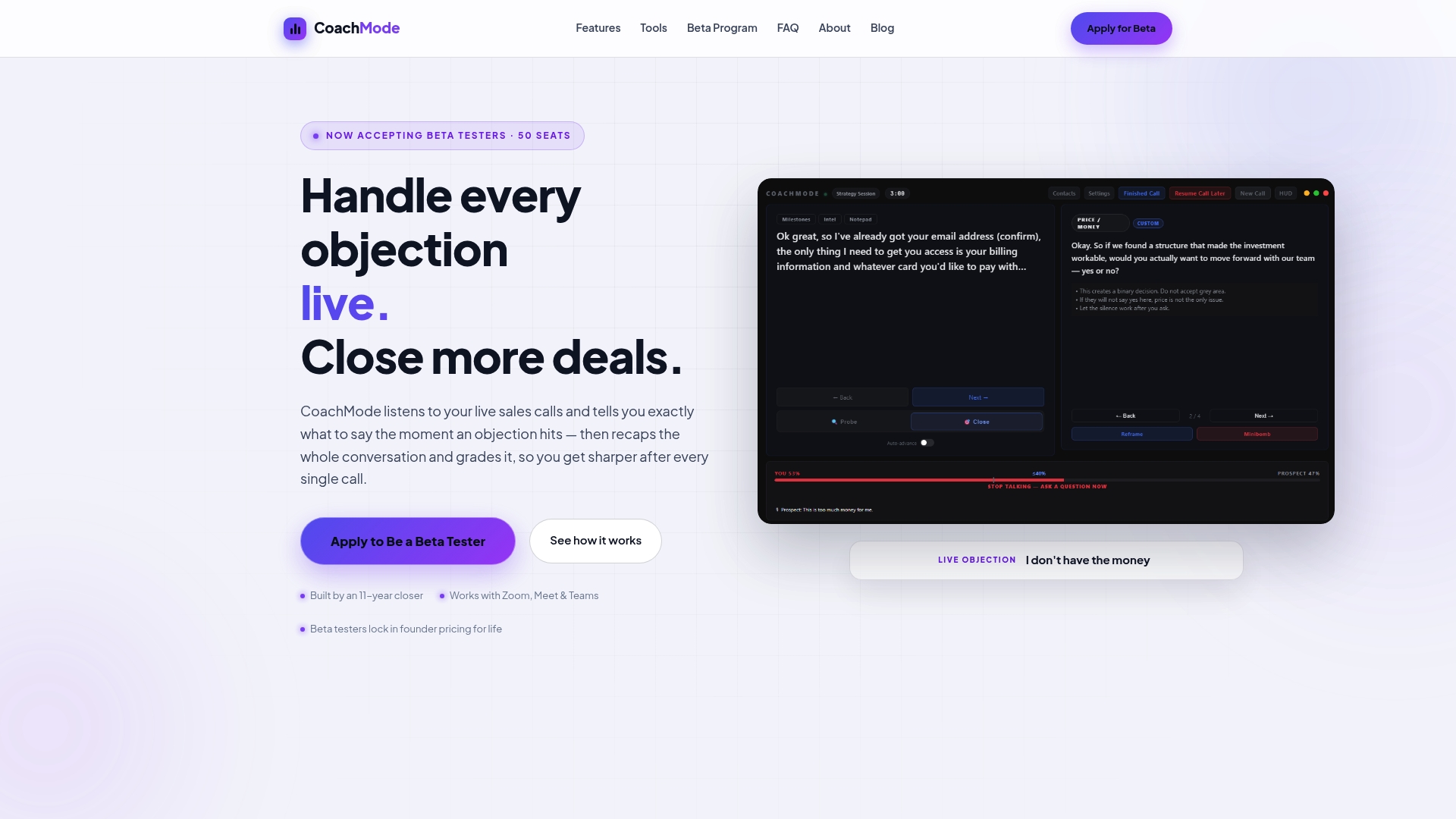
During the pilot, CoachMode handles onboarding, playbook import, CRM mapping, and weekly performance check-ins. You provide the rep cohort, your existing objection library or recorded calls to build one, and access to your CRM. That’s the whole list.
Ready to see whether in-call coaching moves your close rate? Get started with CoachMode’s AI sales coaching and set up your pilot cohort this week.
Frequently Asked Questions
What is remote sales coaching in this context?
It’s real-time AI that listens to live sales calls and delivers objection responses, methodology prompts, and post-call scoring, not a virtual training course.
How fast does the AI respond during a call?
Mature platforms aim for sub-second latency so coaching cards appear while the conversation is still live.
Does remote sales coaching replace sales managers?
No. It offloads routine call auditing so managers can focus on strategy and complex deals, not eliminate the coaching relationship itself.
Which conferencing tools does in-call AI coaching support?
Leading systems, including CoachMode, integrate with Zoom, Google Meet, and Microsoft Teams for live coaching during calls.
How long should a pilot run before deciding to scale?
Most vendors recommend a 60 to 90 day pilot with a single mid-performing rep to gather measurable quota, ramp, and close-rate signal.
Sources
- Otter
- AI Sales Coaching: Tools, Benefits and How It Works | Salesforce IN
- AI Sales Coaching Software | Automated Call Scoring | Avoma